Silence after you send a quote does not explain the decision. The client may be busy, comparing options, waiting for sign-off, concerned about price, or no longer interested.
This guide helps you decide what to do next, when to pause, and when to close the quote. For ready-to-edit wording, use the quote follow up email templates.
Why quotes go quiet
Possible reasons for an unanswered quote include:
- No approval yet. Someone else has to say yes, or the budget is not confirmed.
- Revision needed. The scope, price or timing does not quite fit, and the client has not said so.
- No date. The client likes the idea but has no start date, so nothing feels urgent.
- Lost in the inbox. The quote arrived and was never properly read.
- Likely no. The client chose someone else or dropped the project.
You cannot tell which one applies from silence alone. Your follow-up should make it easy for the client to tell you.
How to follow up on a quote: decide from the signal
Look at what the client last told you, not only at how many days have passed.
| What you know | Next action |
|---|---|
| Nothing since you sent it | Send a short check-in that confirms it arrived and offers to answer questions. |
| Client said approval is pending | Ask who decides and when you might hear back. Offer a one-page summary they can forward. |
| Client asked for changes | Send a revised quote and mark the old one as replaced, so only one version is live. |
| Client raised price | Ask what budget they had in mind. Offer a smaller scope or phases before cutting your rate. |
| Client likes it but gave no date | Ask for a target start date and say what you can offer around it. |
| Client asked you to wait | Note the date they gave and pause until then. |
| Client said no or chose someone else | Thank them, close the quote, and stop the sequence. |
The wording for each of these lives on the templates page. This page decides which message fits.
Plan the next quote follow up
There is no proven best schedule. Here is an illustrative pattern to adapt to the project and any decision date your client gave you:
- A few days after sending: a short check-in.
- About a week later: add something useful, such as an answer to a likely question or a smaller-scope option.
- About two weeks after sending: ask plainly whether they want to go ahead.
- Around a month: ask for a clear yes or no so you can plan your own calendar.
Shorten the gaps when the client has an urgent deadline. Lengthen them for slow procurement or a large organisation. If the client gave a date, follow that date instead of the pattern.
Keep every message short, refer to the specific quote and its date, and end with one easy question. Avoid fake deadlines. If you hold a start date open, make sure that is true.
Worked example: a quote that gets smaller
Sample data: fictional illustration of a workflow, not a customer result. Alex is a freelance designer. Jordan is a prospective client. The amounts and dates are invented, and the timing is illustrative, not a recommended schedule.
| Date (2026) | Alex's action | Decision-log entry |
|---|---|---|
| March 2 | Sends Q-212, USD 3,000, for a website refresh from their own mail app. | Original quote, sent March 2. |
| March 5 | Reviews and sends a receipt check, then notes the date. | Awaiting a decision; no outcome inferred from silence. |
| March 6 | Jordan says the scope is too large and the budget is nearer USD 2,000. | Reply recorded; pause while discussing changes. |
| March 9 | Sends Q-212-R1 for USD 1,900 with a smaller agreed scope. | Revised reference replaces Q-212 in the current working record. |
| March 10 | Jordan asks to wait until March 20 for a partner's decision. | Pause reason and next review date written down. |
| March 20 | Reviews the revised quote and asks about a target start date. | Next action reflects the last reply, not a generic repeating nudge. |
The suitable next action on March 20 is a message that refers to Q-212-R1, mentions the smaller scope, and asks one easy question, such as whether Jordan has a target start date. If Jordan says no, Alex closes the quote and stops the sequence. If Jordan says yes, Alex confirms scope and terms in writing before starting.
A decision-log entry for the same quote might read:
- Quote: Q-212-R1, USD 1,900, sent Mar 9 (replaces Q-212, USD 3,000)
- Signal: price and scope concern, resolved by a smaller scope
- Status: open
- Pause reason: client consulting partner; resume Mar 20
- Next action: ask for a target start date
- If no reply after that: one clear yes-or-no request, then close
The point is the order: record the change, make the revised quote the single current version, pause with a reason and a date, and resume only with an action that fits what the client said.
Pause, revise or close
Pause when the client has given you a reason and a date: a budget review next month, a manager on leave. Write down the date and contact them then.
Revise when the client has asked for a change or the price is the obstacle. Send one clear updated quote. Do not leave two versions competing.
Close when the client says no, when they chose another option, or when your final request for a yes or no goes unanswered. A closing note might read: "I'll close this quote for now so it doesn't hang open. If the project comes back, I'm glad to pick it up." Closing is a decision about your own pipeline, not a judgement of the client.
If the answer is yes, confirm the scope and set payment terms in writing before work starts. You can also consider whether to ask for a deposit on a larger project.
Choose a channel for quote follow up
Email is the usual default because the client can forward it and you keep a written record. A call helps for a quick question, but follow with a short written recap. A text suits only small jobs with clients you already text.
Keep a quote follow up decision log
A short record keeps follow-ups from depending on memory. Useful fields:
- Client and contact name
- Quote reference and date sent
- Amount and currency
- Current status: open, won, lost or withdrawn
- Whether this is the current version or has been replaced
- Last contact date and what was said
- Signal: waiting on approval, revision requested, no date, price concern
- Next action and the date it is due
- Pause reason and restart date, if any
- Closing note, if closed
A spreadsheet or notebook is enough if you have only a few quotes and you check it reliably.
A manual follow-up workbench
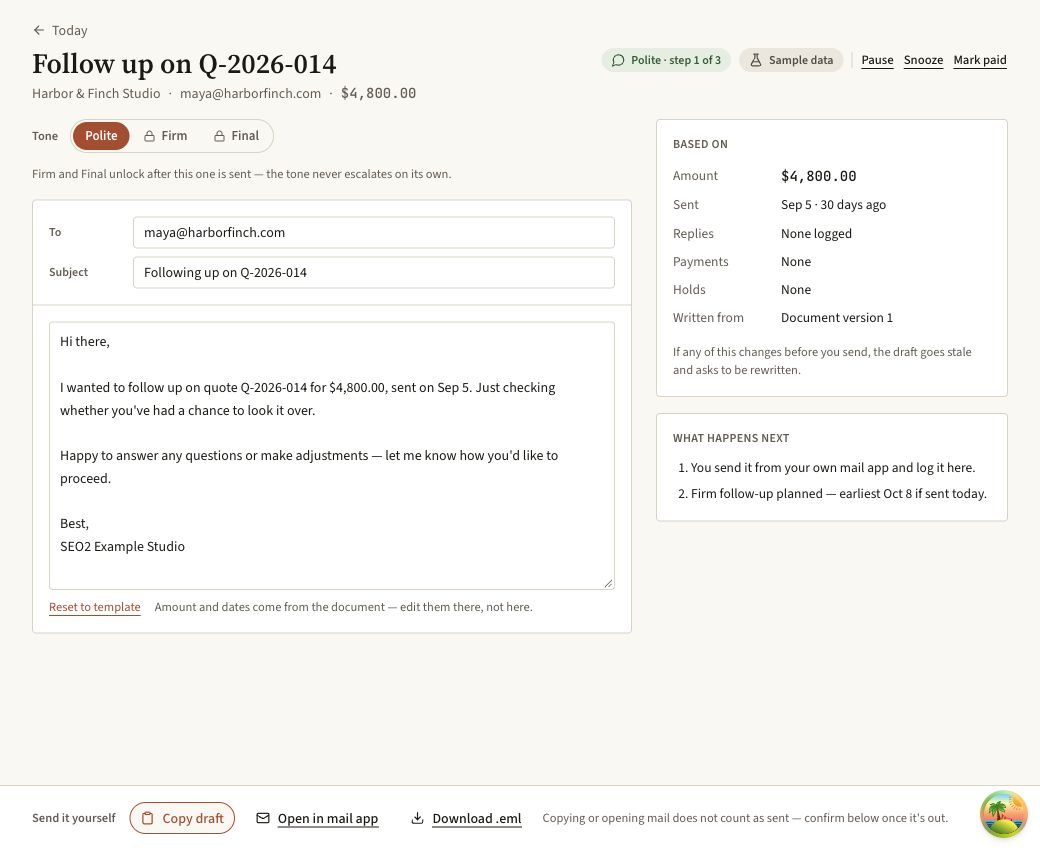
Real application screen using fictional Q-2026-014 for USD 4,800. This built-in demo record is separate from the written Q-212 example above. The draft was prepared for demonstration; no email was sent.
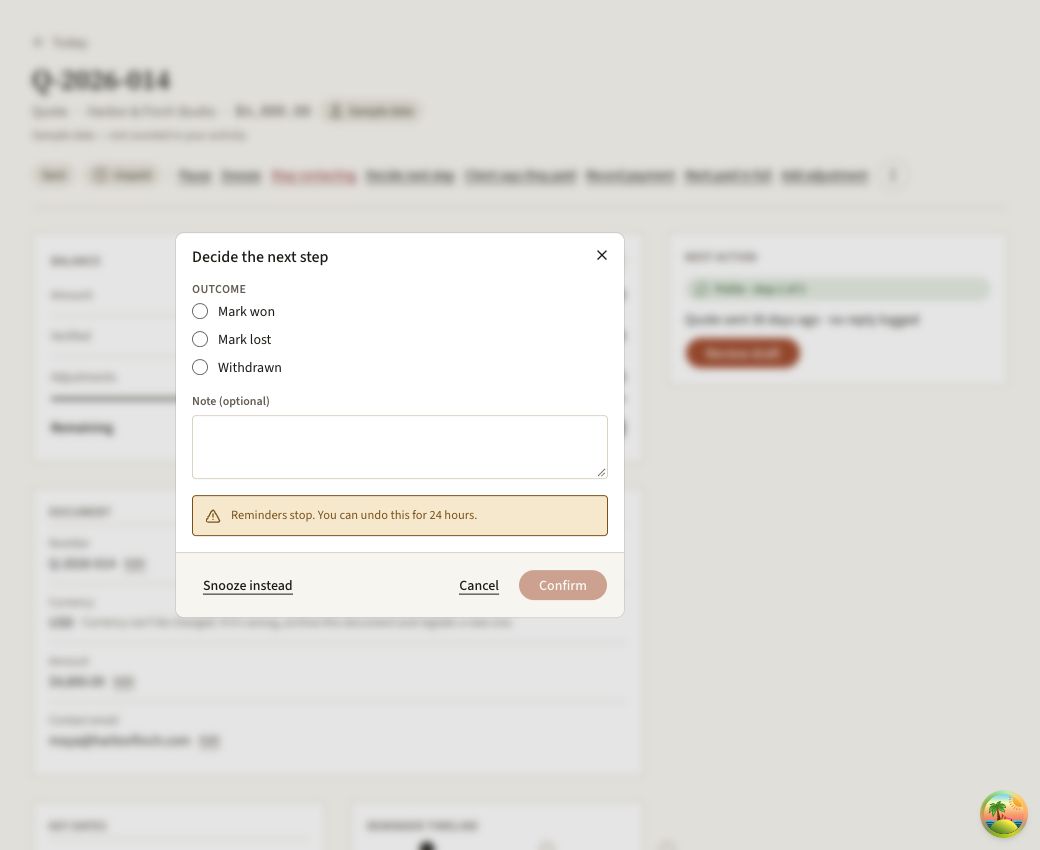
The real next-step form offers won, lost and withdrawn outcomes. No option was selected and no decision was recorded during this capture. These are available controls, not a customer's result.
MoneyNudge shows which quotes and invoices need a follow-up today. It drafts each follow-up from your own template; you review it and send it from your own email. It never emails your clients on its own. It keeps a record of what you marked as sent, and when.Continue with invoice reminders guide.
More guides in this section
- Quote follow-up email
Copy a quote follow up email for day 3, day 7 and beyond: short, friendly templates that ask one clear question, plus subject lines that get replies.
Frequently asked questions
How soon should you follow up on a quote?
Give the client time to review the scope, then choose a date that fits the project. A receipt check after a few days is one illustrative option. If the client has given a decision date, follow that instead. A short procurement process and a long approval process do not need the same quote follow up schedule.
How many times should you follow up on a quote?
There is no fixed number that fits every quote. The example on this page uses spaced check-ins, but it is not a tested optimum. Each message should answer a question, add useful context or ask for a decision. Stop when the client says no, and close your own record after a final unanswered request if that fits your process.
What do you say when following up on a quote?
Keep it short, reference the specific quote and date, and end with one clear, easy question. Early on, that might be as simple as confirming they received it and offering to answer questions. Later, it can be more direct: asking whether they'd like to move forward, whether the budget works, or whether they need anything adjusted. Avoid vague lines like just checking in, since they give the reader nothing concrete to respond to.
How do you follow up without being pushy?
Space your messages out, keep each one short, and always give the client an easy way to say not now without feeling awkward about it. Avoid fake urgency, such as a deadline that isn't real, since clients tend to notice and it can damage trust. Adding something useful, like an answer to a likely question or a smaller-scope option, reads as helpful rather than pushy, even on a second or third message.
What if the client says the price is too high?
Ask what budget they had in mind before you offer a discount, since sometimes the gap is smaller than it seems. If it's genuinely too high, consider a reduced scope, a phased approach that spreads the cost over time, or removing optional extras rather than cutting your rate across the board. If none of that works, it's fine to say the quote reflects what the work is worth and leave the door open for a smaller project later.